git版本对比补丁
WPing丶
2025-08-18 10:47

准备工作:mkdir update_files 先创建一个update_files的文件夹,稍后存放补丁。
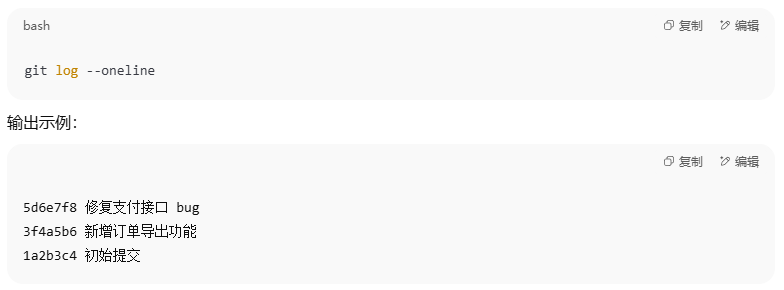
第一步:获取当前git的所有历史版本
git log --oneline
第二步:在 PowerShell 用 ForEach-Object
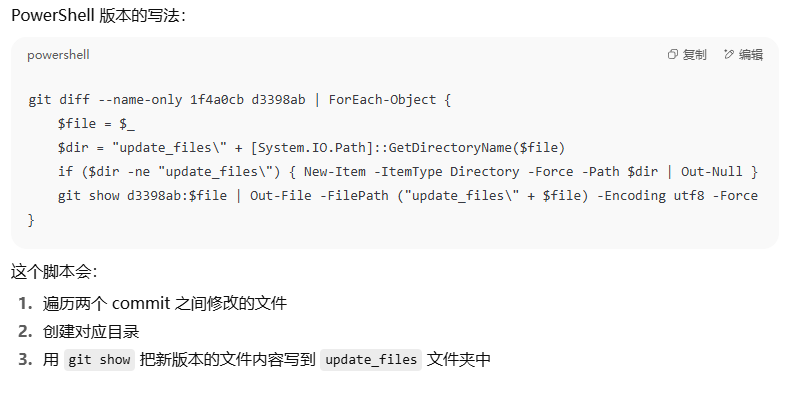
git diff --name-only <old_commit> <new_commit> | ForEach-Object {
$file = $_
$dir = Join-Path "update_files" ([System.IO.Path]::GetDirectoryName($file))
if ($dir -ne "update_files") {
New-Item -ItemType Directory -Force -Path $dir | Out-Null
}
# 用 StreamWriter 保证 UTF-8 无 BOM
$outputPath = Join-Path "update_files" $file
$content = git show <new_commit>:$_
$utf8NoBomEncoding = New-Object System.Text.UTF8Encoding $false
[System.IO.File]::WriteAllText($outputPath, $content, $utf8NoBomEncoding)
}
<old_commit>老版本的版本号
<new_commit>新版本的版本号


共 0 条评论