vscode 终端不能使用yarn ,npm,如何解决

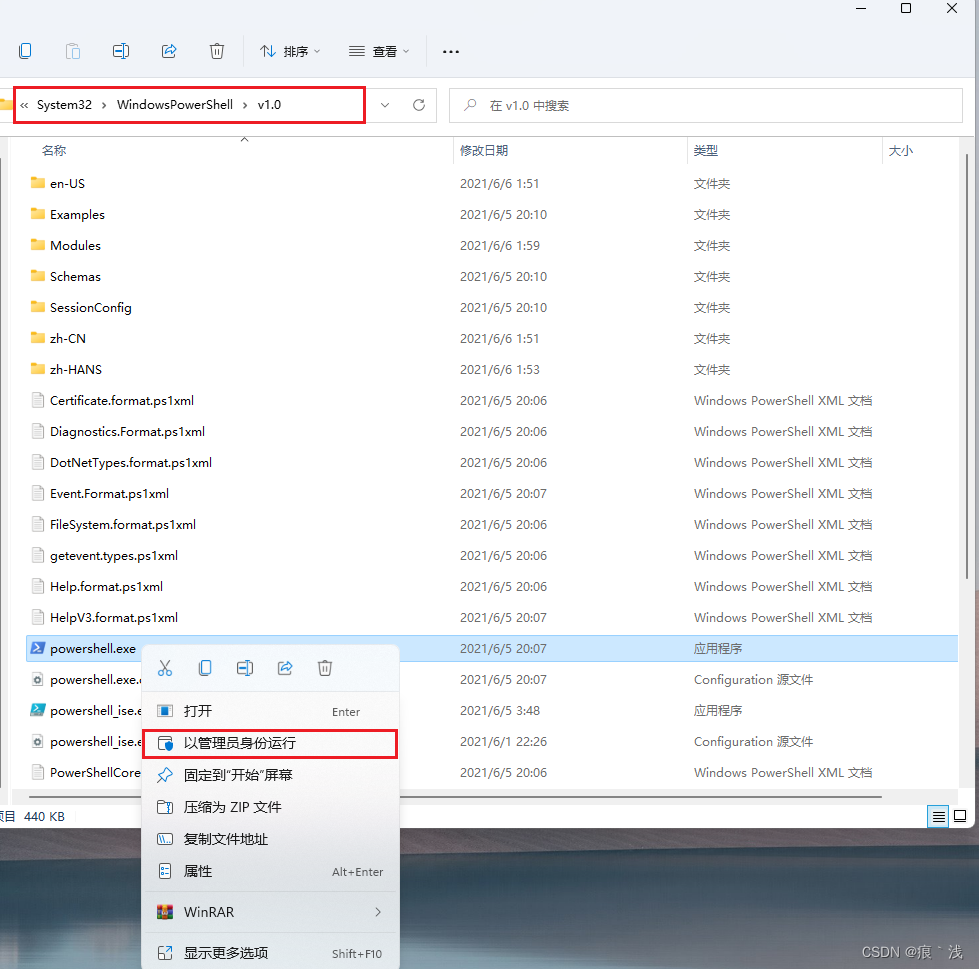
1、在c盘中输入以下路径,找到powerShell
2、右键powershell.exe文件,点击以管理员身份运行,设置一下权限
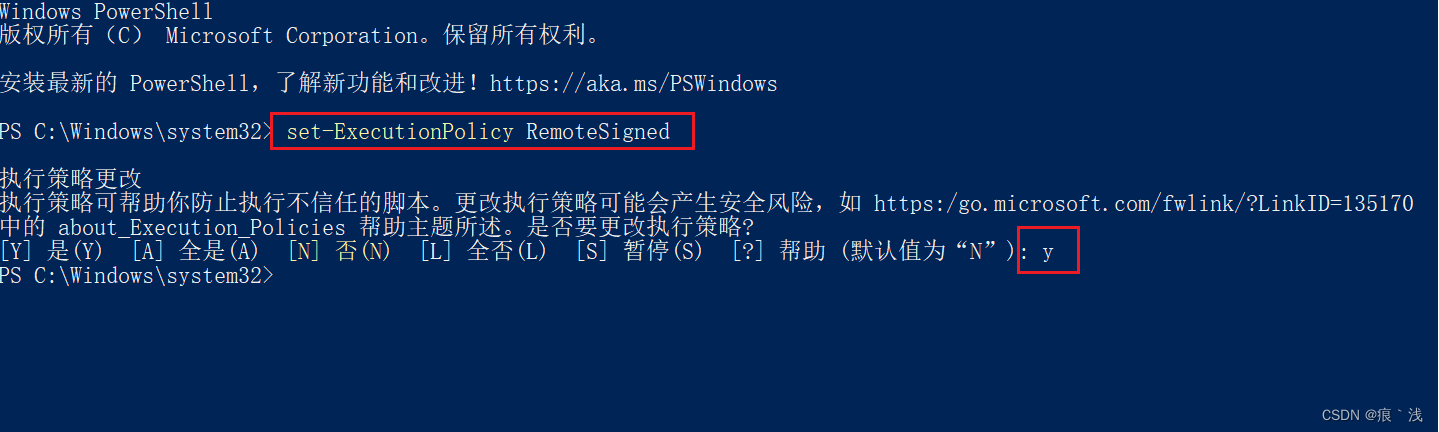
3、执行set-ExecutionPolicy RemoteSigned 回车,然后输入y
4、重启vscode就可以在终端使用yarn , 或者npm了
[转载]文章出处:https://blog.csdn.net/Sharon598/article/details/125854946
C:\Windows\System32\WindowsPowerShell\v1.0
[转载]文章出处:https://blog.csdn.net/Sharon598/article/details/125854946


共 0 条评论